 ChatXport
ChatXport
ChatXport
Open exported chats in a clear, searchable format with messages, photos, and attachments presented together. All processing occurs on your device. No data is transmitted externally.

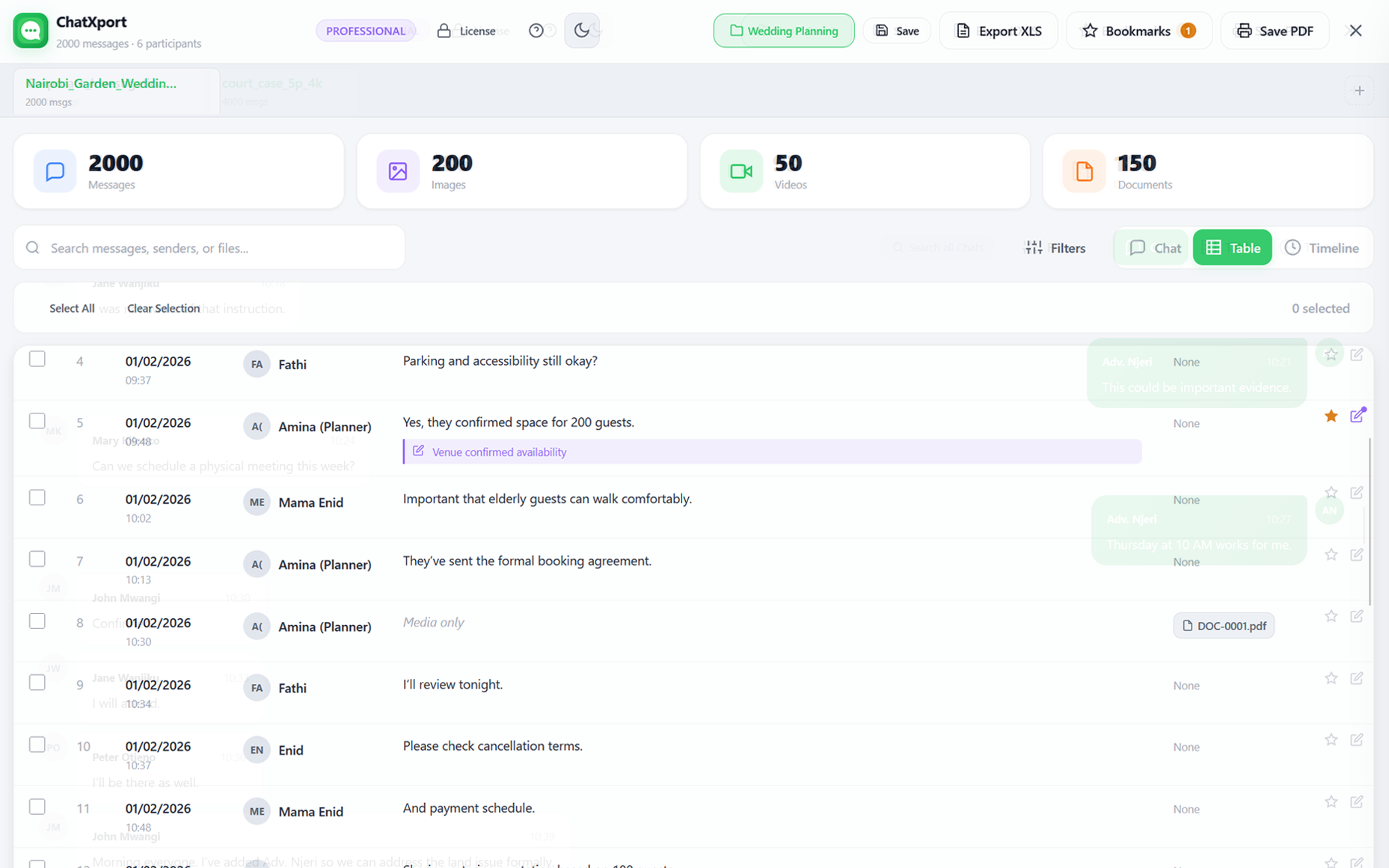
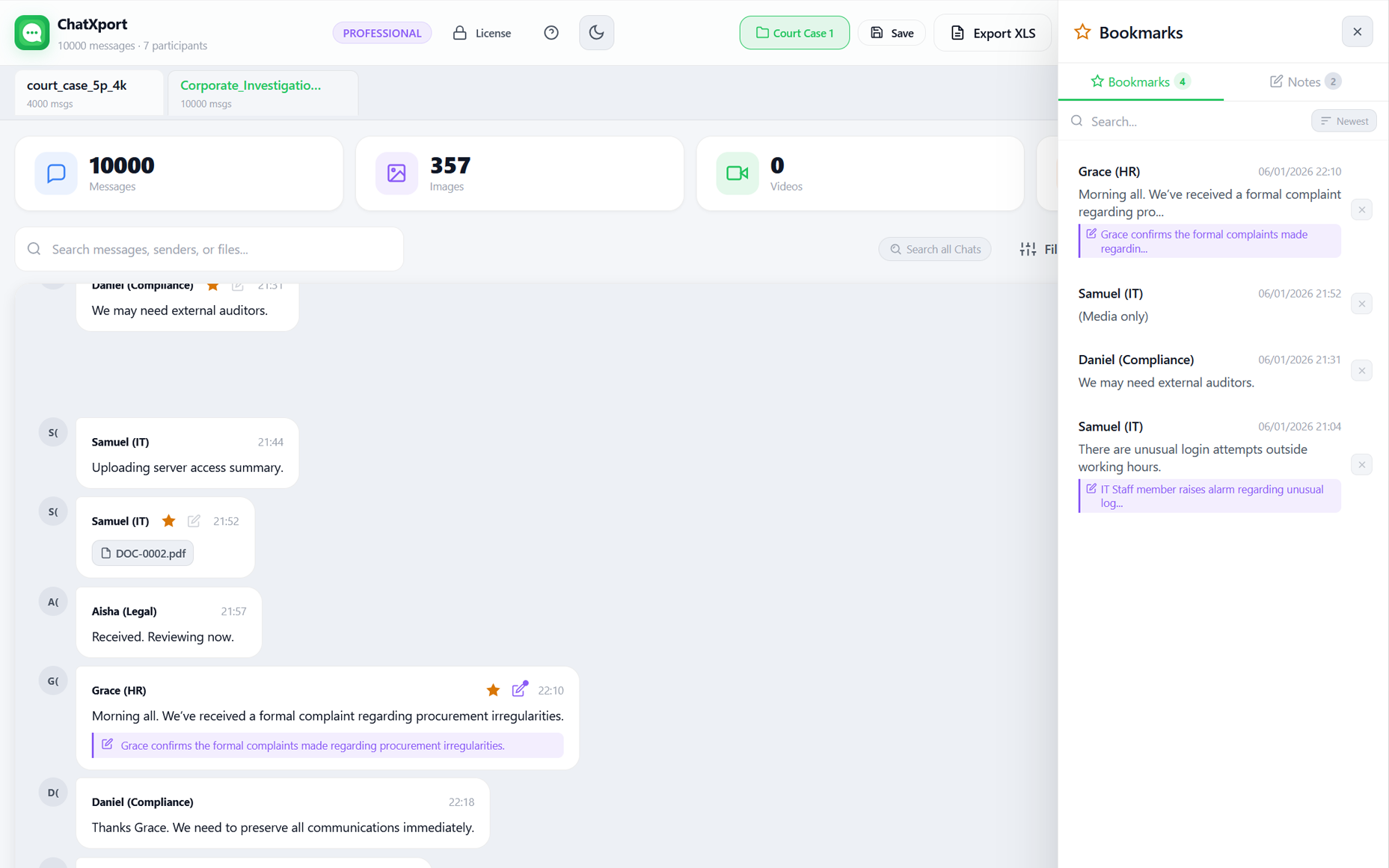
Open any chat, tap the menu, select More then Export chat, and save the ZIP file
Drop the ZIP into ChatXport. Select your name so your messages appear on the right.
Browse messages, filter by sender or date, view attachments, export to CSV or PDF.
Thousands of messages, unnamed media files, no search. Here's how most people deal with it, and why ChatXport exists.
Your chats deserve better than Notepad, and safer than someone else's server.
Switch between views depending on what you need: familiar chat bubbles, spreadsheet-style analysis, or a chronological timeline.
The familiar WhatsApp-style chat interface. Your messages on the right, others on the left. Just like reading your phone.
Spreadsheet-style view with sortable columns. Perfect for analyzing patterns, counting messages, or preparing data for export.
Chronological feed grouped by date. Great for reviewing conversations over time or finding messages from specific days.

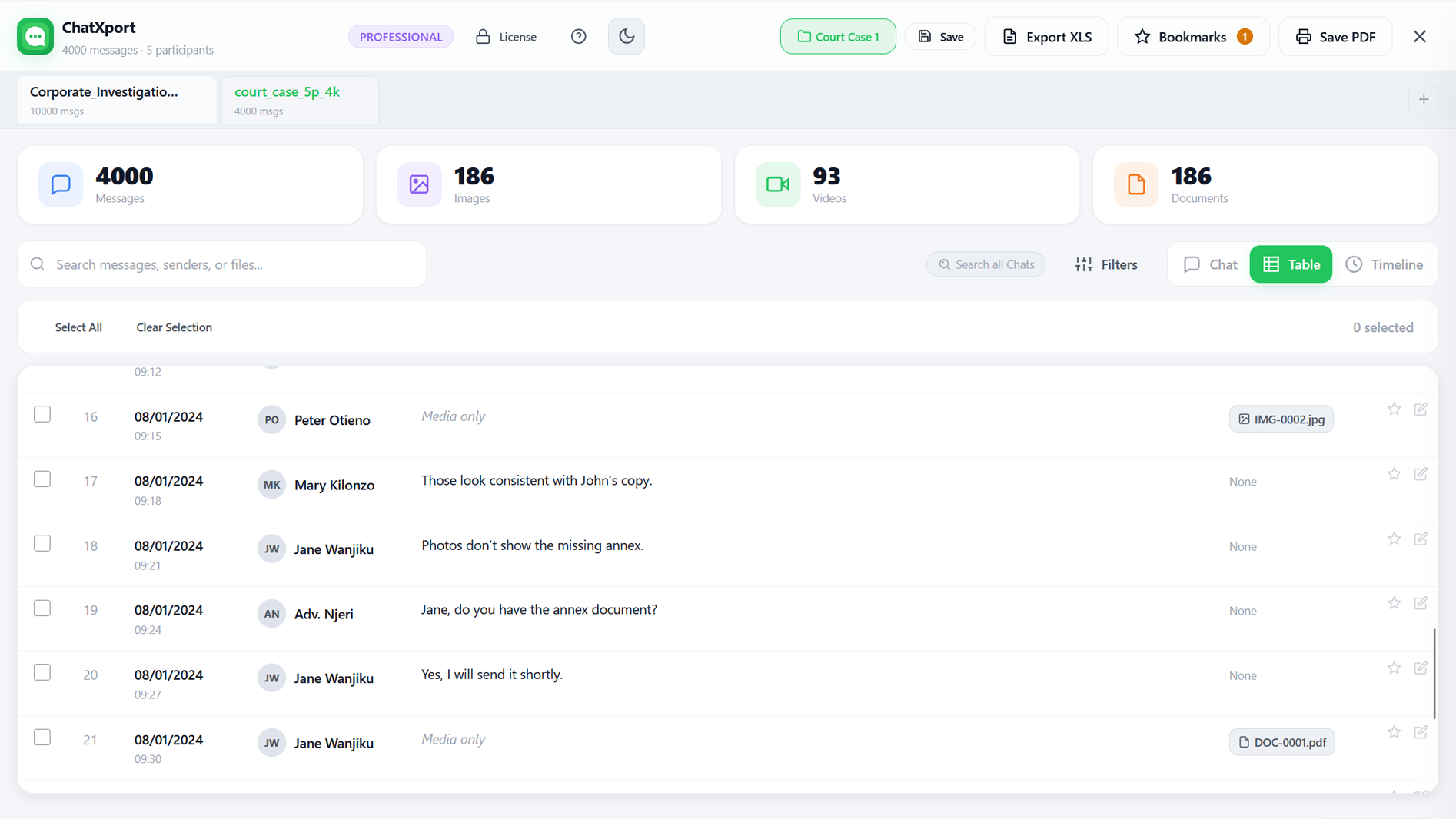
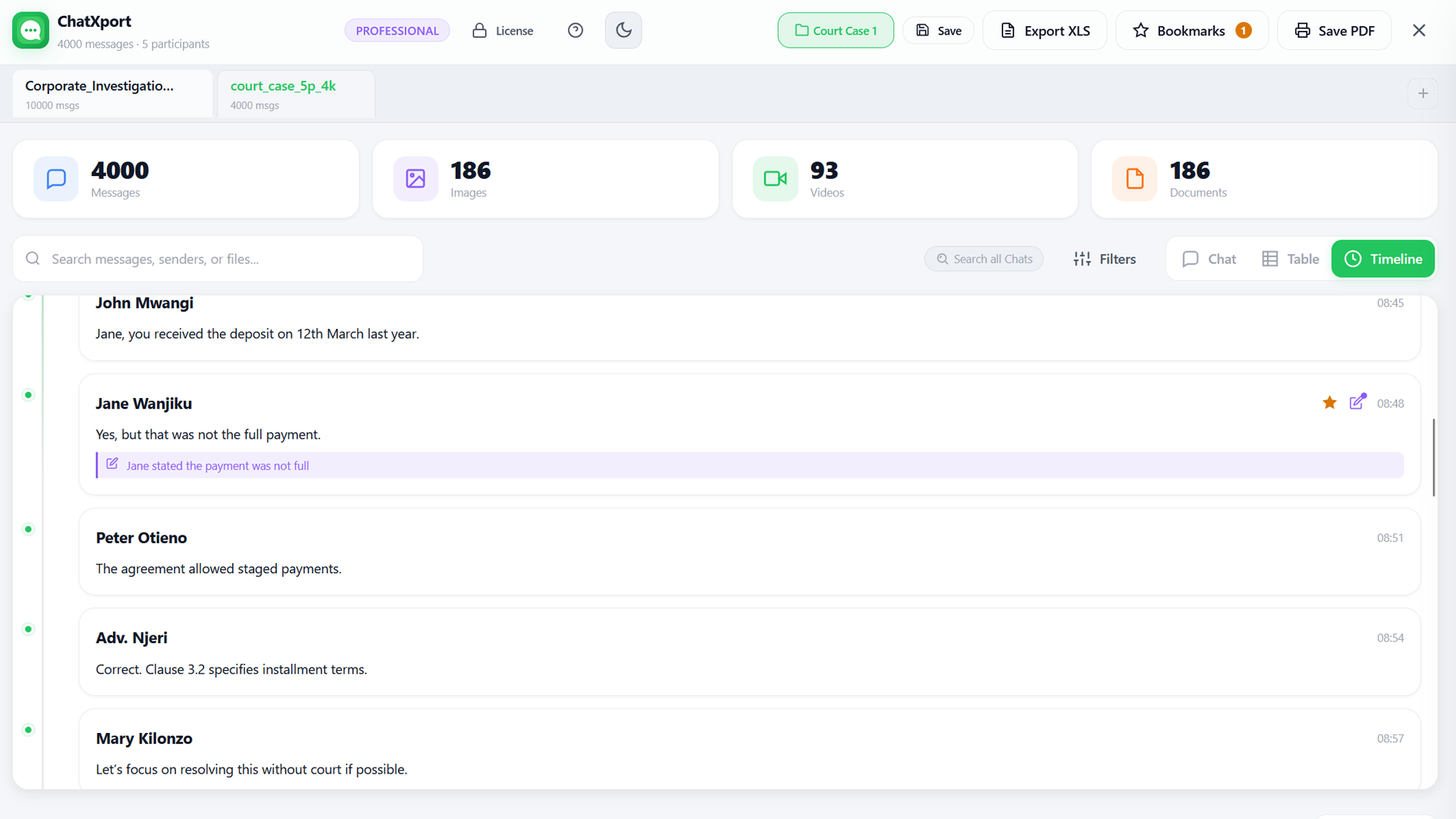
Find exactly what you need in seconds, even in chats with thousands of messages.
Online WhatsApp viewers ask you to upload private conversations to their servers. That means your messages, photos, and files pass through someone else's computer. ChatXport is different.
"Some tools claim to be 'GDPR safe' while asking you to upload private conversations to their servers. ChatXport never sees your data, because it never leaves your computer."
Follow these simple steps on your phone to create an export file
Start free. Upgrade when you need more.
Forever free
One-time payment
By purchasing, you confirm you have the legal right to use any data processed with this software.
Your license never expires and works on any device. Re-enter your key or import your license file to reactivate anytime.
One-time payment
By purchasing, you confirm you have the legal right to use any data processed with this software.
Your license never expires and works on any device. Re-enter your key or import your license file to reactivate anytime.
14-day money-back guarantee
Your purchase includes 12 months of priority support. After the first year, support can be renewed for $20/year if needed. Renewal is entirely optional. Your software license never expires, and ChatXport will continue to work whether you renew support or not. Priority support includes assistance with setup, usage, and troubleshooting.
No. ChatXport runs entirely on your device. Your chat files are never uploaded, transmitted, or shared with anyone. All processing happens locally. It even works in airplane mode once loaded.
Only for the initial license activation and first load. After that, ChatXport works completely offline with no internet required.
You can but exported chat TXT files are difficult to work with. Media files are stored separately, conversations are hard to search, and long chats quickly become thousands of lines of plain text.
ChatXport organizes exported chats into a clean conversation layout with participants, timestamps, and media in the correct context. It also adds fast search, filters, bookmarks, and structured exports like PDF and Excel so large chats become easier to review, analyse, or share.
In WhatsApp, open any chat, tap the menu, select More then Export chat, choose Include media, and save the ZIP file to your computer.
No. There's a free tier with up to 300 messages, and the paid plans (Personal $19, Pro $49) are one-time payments. Your licence never expires. After the first year, optional priority support is available for $20/year, but the software works fully without it.
Free lets you view up to 300 messages with all 3 view modes. Personal ($19) unlocks unlimited messages, PDF and XLS export, and bookmarks. Pro ($49) adds notes, multi-tab viewing, cross-search, and workspaces. Both paid plans are one-time with no subscriptions.
If you're not satisfied for any reason, contact us within 14 days of purchase for a full refund — no questions asked. See our Refund Policy for details.
ChatXport does not verify the authenticity, completeness, or legal validity of exported chat data. The app presents the data exactly as exported from WhatsApp. Users are responsible for ensuring their data is accurate and that they have the appropriate authorisation to use it.
No. ChatXport is provided for informational and organisational purposes only and does not constitute legal, financial, or professional advice. If you are using chat exports as part of a legal matter, please consult a qualified legal professional.
ChatXport is intended for lawful personal, professional, and organisational use. You may not use ChatXport for unlawful surveillance, harassment, or activities that violate privacy or communications laws. Users are responsible for ensuring they have the legal right to access and process any data used with this software.
No. ChatXport is an independent tool and is not affiliated with, endorsed by, or connected to WhatsApp LLC or Meta Platforms, Inc. ChatXport simply opens chat files that users export from their messaging apps.
No. ChatXport does not connect to WhatsApp, access your account, or interact with WhatsApp servers. The software only reads chat files that you export yourself using WhatsApp's built-in export feature.
ChatXport processes files locally on your device and does not transmit your chat data to any server. All parsing, rendering, search, and export happens entirely on your device. Your data never leaves your computer and ChatXport does not transmit chat data to any external servers.
We needed a simple way to search years of WhatsApp exports: quickly find conversations, view photos and documents in context, and locate exact messages for legal and client work. So we built ChatXport: a fully offline desktop app that keeps your data private, on your device, where it belongs.