 ChatXport
A Desktop App, Built for Windows
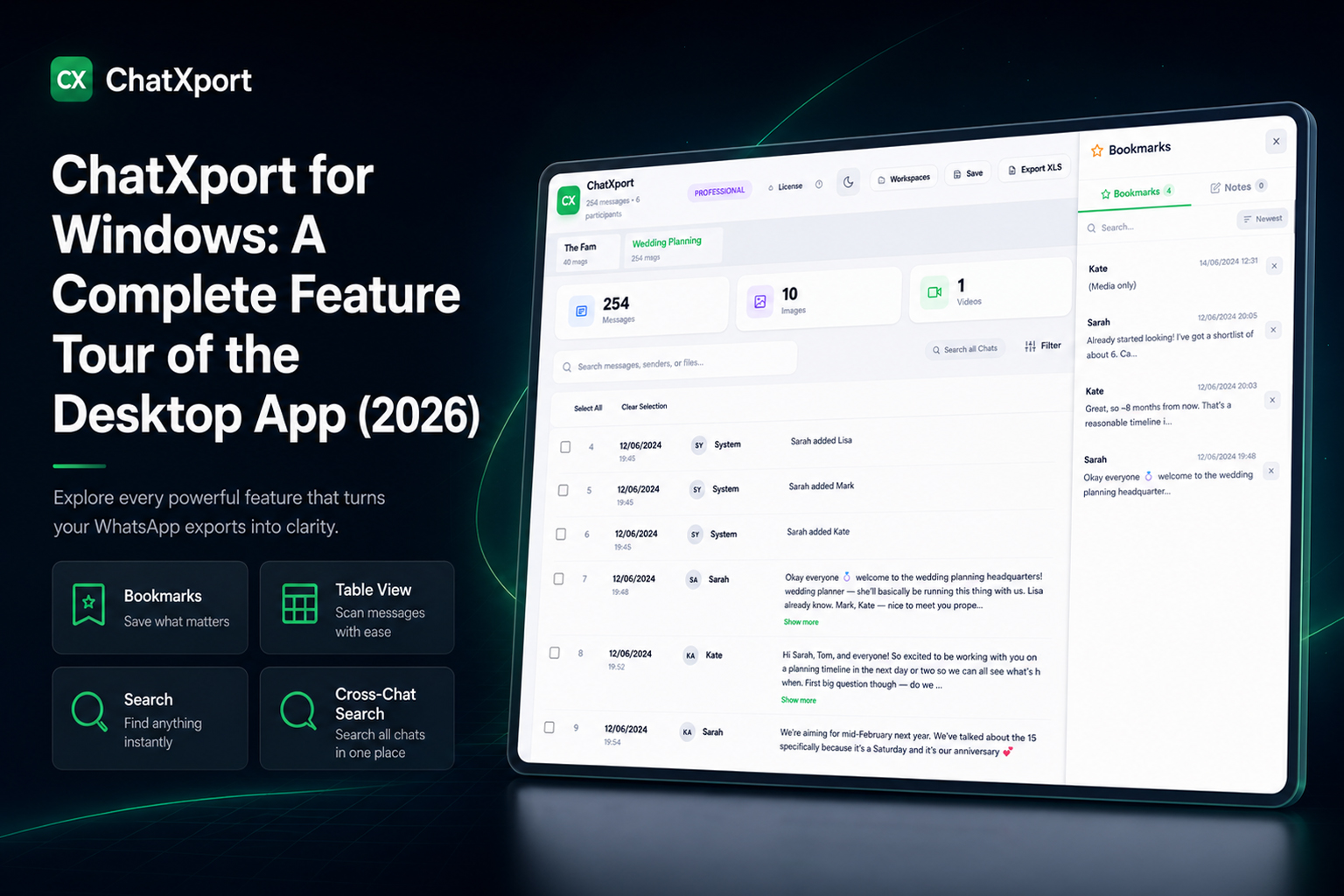
ChatXport installs and runs on Windows 10 and 11 as a proper desktop application. It opens your export straight from your own machine, with no browser tab to keep alive and no account to sign into. You download it, run it, and your chats are there.
It reads exports from both iPhone and Android, so the phone the conversation came off never decides whether you can open it. A free version covers light use, and unlocking everything is a one-time purchase rather than a subscription.
Three Ways to Read a Chat
The same chat can be read three different ways, and you switch between them instantly.
- Conversation. Messages in chat bubbles, with sender and time on each one, the way the chat looked the first time you read it.
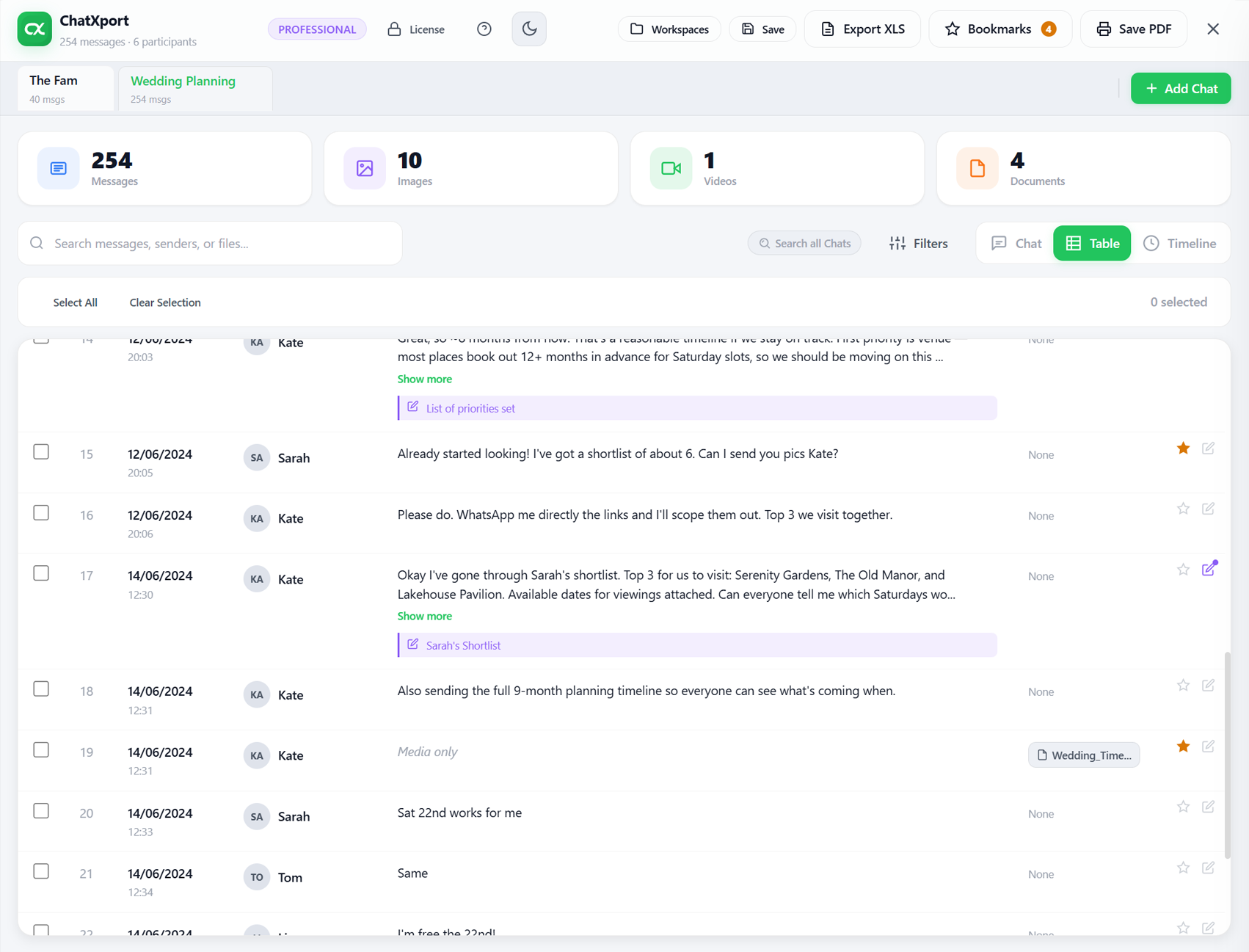
- Table. Every message as a row with date, time, sender, type, and content, built for scanning and for working through a long chat in order.
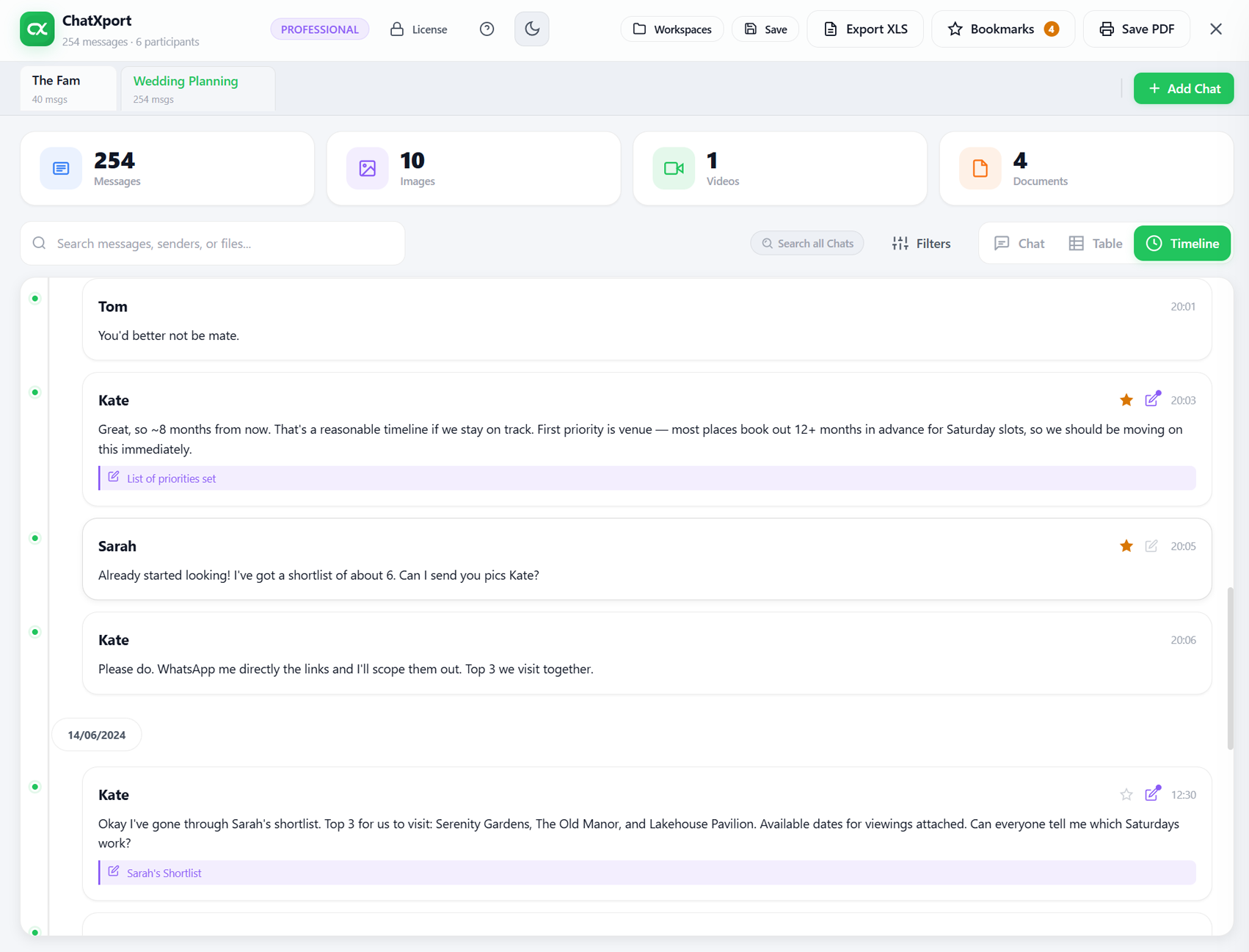
- Timeline. The chat laid out along a vertical timeline with clear date markers, so you can follow how it developed across days, weeks, or years.
Nothing reloads when you switch. It is one chat, looked at from whichever angle suits what you are doing.
Conversation view
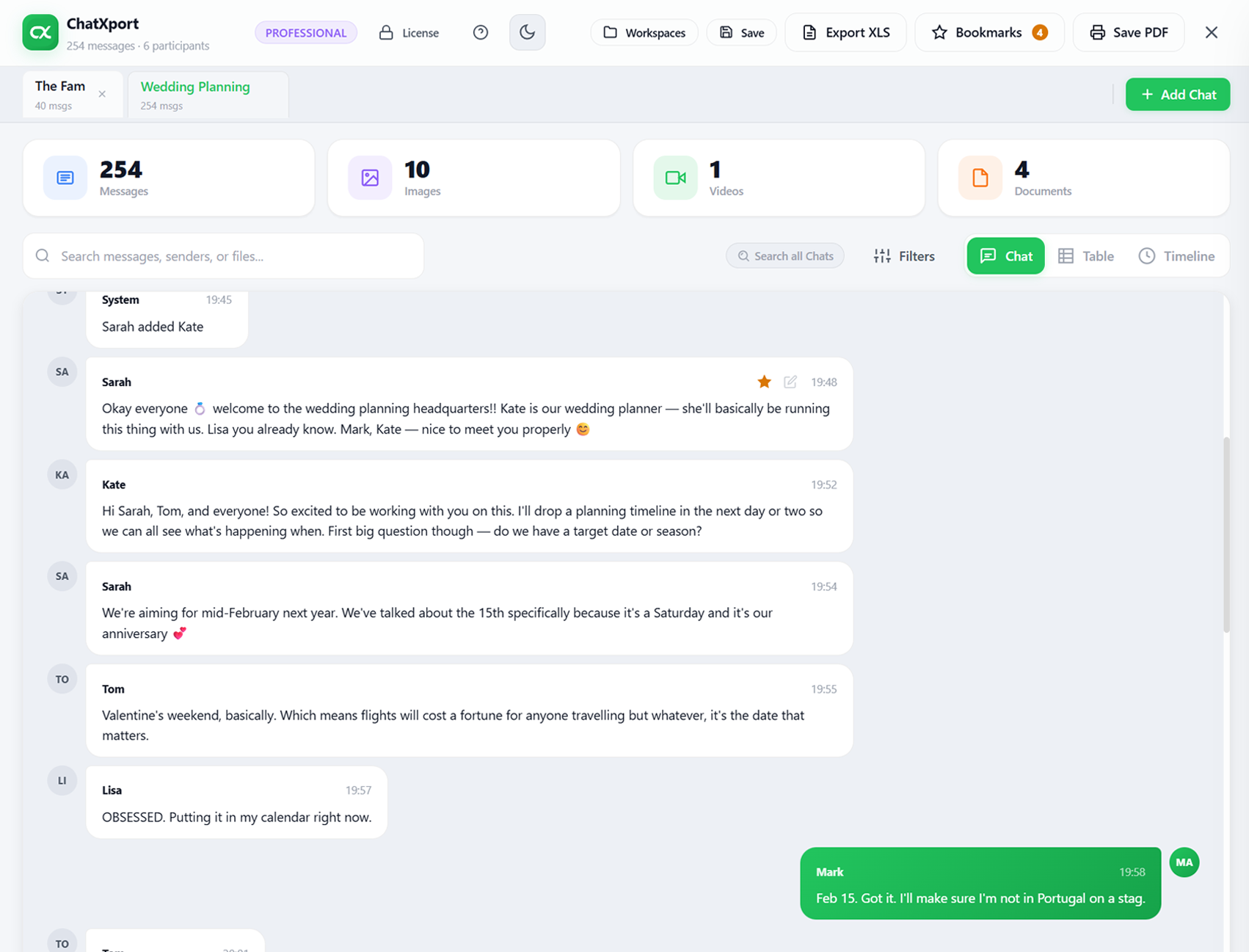
Table view
Timeline view
What You See When a Chat Opens
As soon as a chat loads, a row of cards shows what is inside it, the number of messages, images, videos, and documents, along with the participants. You understand the size and shape of the conversation before you read a single line.
Media is part of the conversation, not a heap of files beside it. Photos, videos, and documents appear in place, inside the message where they were sent. You never have to match a file named IMG-20261204-WA0023.jpg back to the moment it belongs to.
Search, Filter, and Cross-Chat Search
Finding one message matters as much as reading the whole chat. The search box looks through messages, senders, and file names, so a few remembered words usually get you to the right place.
Filters narrow the view further. Pick a sender, set a date range, or show only one kind of content, whether that is messages, images, videos, or documents.
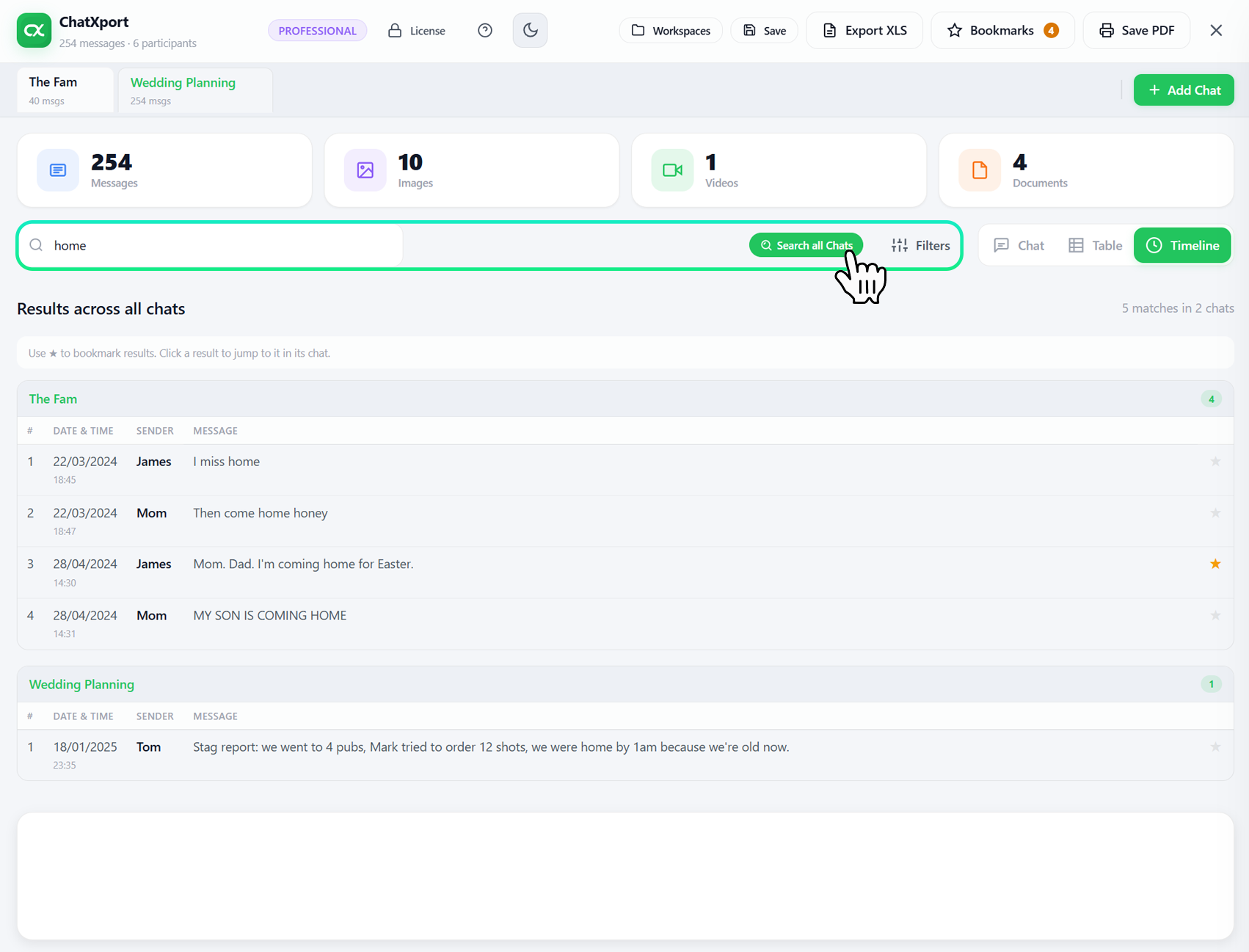
You can also open several chats at once in tabs, and cross-chat search runs a single search across all of them, grouping the results by conversation. A folder full of separate exports becomes one history you can search in one place.
Bookmarks and Notes
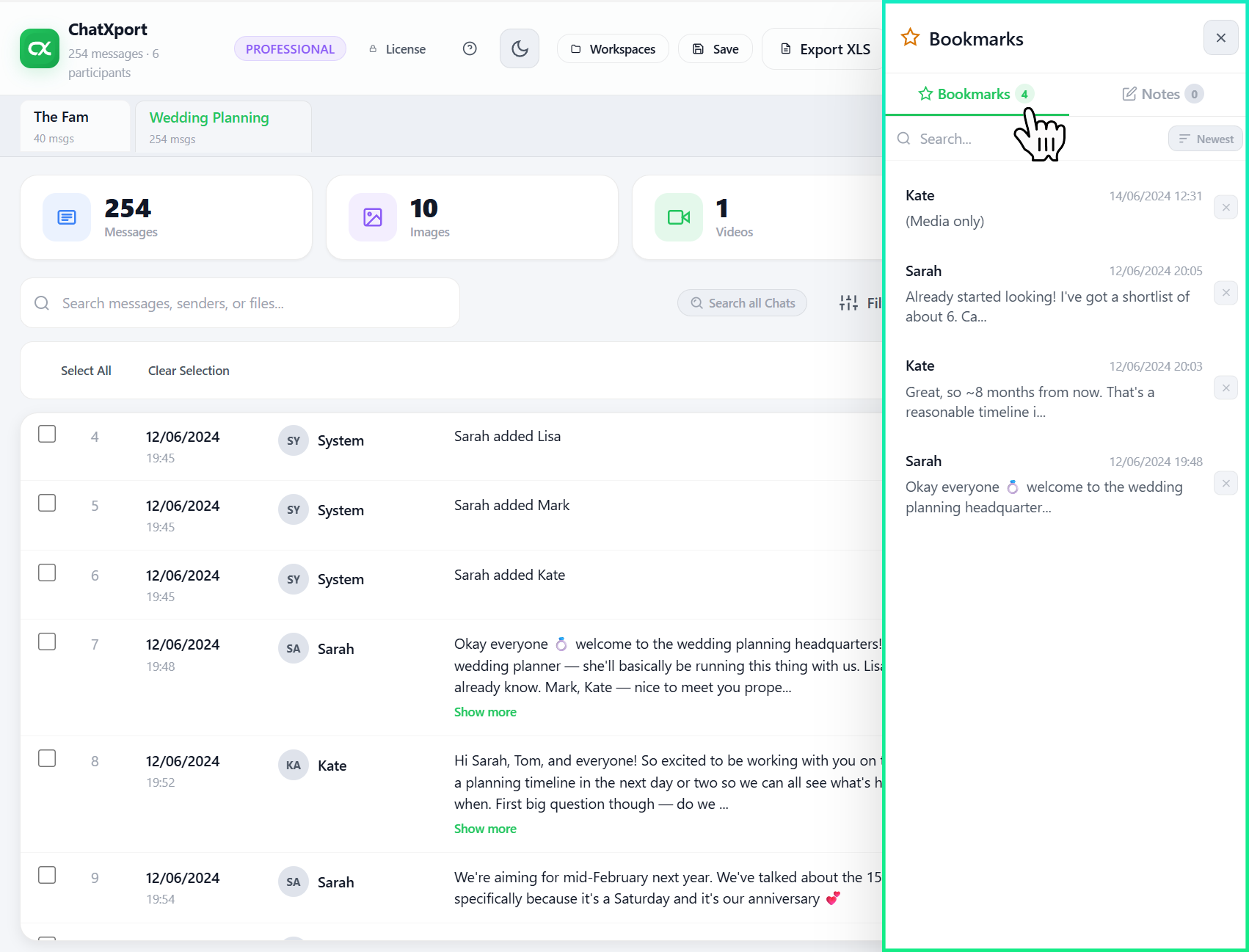
Star any message to bookmark it, and every bookmark gathers in one panel you can jump back to. You can also attach a private note to a message, for context, a reminder, or a point you want to flag for later.
Bookmarks and notes stay attached to the chat, so the messages you cared about are still marked the next time you open it.
Workspaces That Save Your Work
ChatXport remembers more than a single open file. A workspace saves the chats you have open, the bookmarks you set, and the notes you wrote, so you can close the app and come back to exactly where you left off. For anyone working through a long history over several sittings, that means you are never starting from scratch.
Professional PDF and XLS Exports
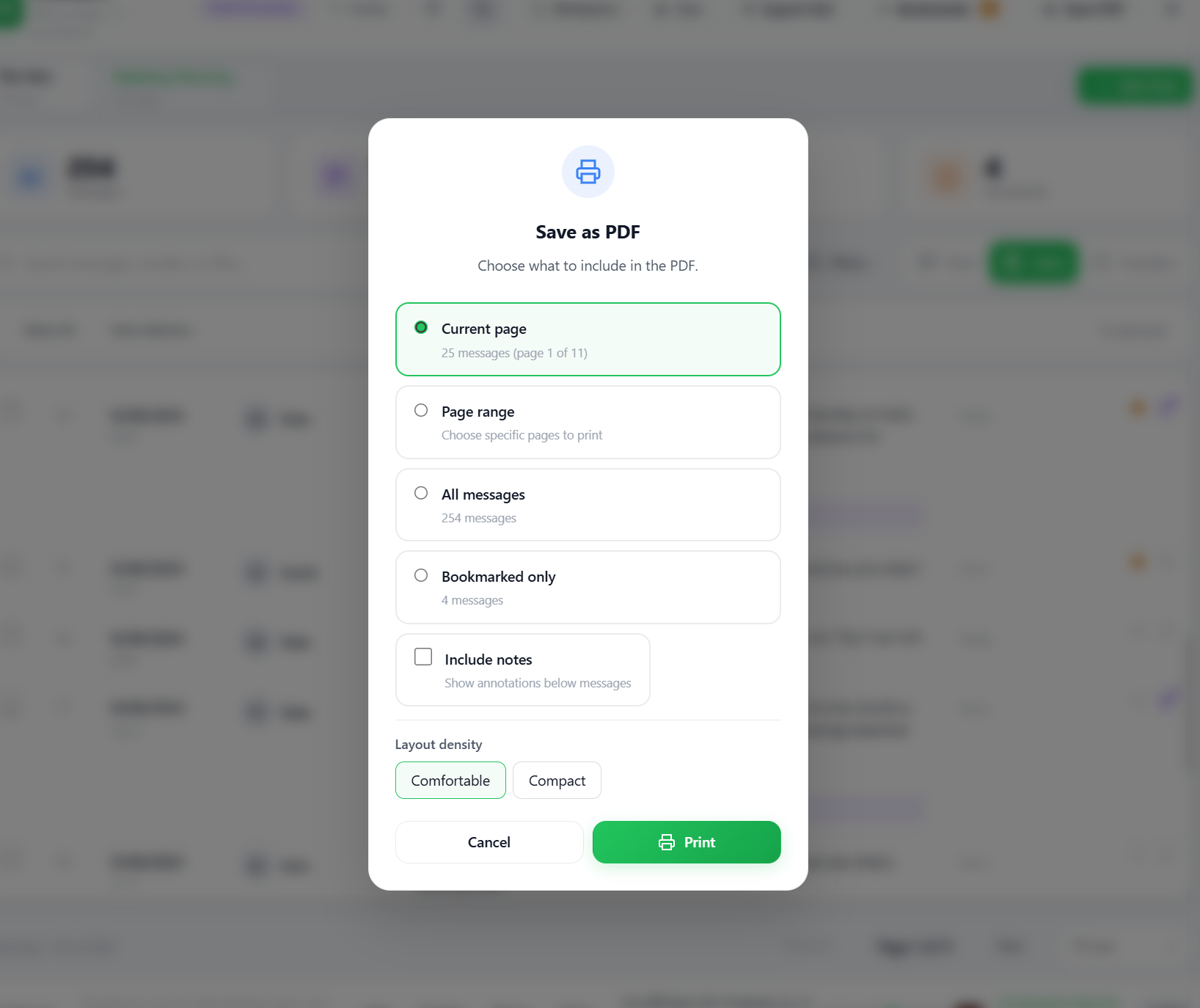
When you need a copy to keep or hand to someone, ChatXport produces clean output. Save a chat as a PDF and decide what goes in, the current page, a range of pages, the whole chat, or only your bookmarked messages, with your notes included if you want them. You can also export to XLS for a spreadsheet of messages with date, time, sender, and type.
The result is tidy and easy to read, suitable for a personal archive or a formal record.
Comfortable to Read, Built to Sit With
Reading a long history should not wear you out. ChatXport has a dark mode for low light and long sessions, and you can set the layout to comfortable or compact depending on whether you want room to breathe or more on screen at once. Open chats live in tabs, so moving between conversations stays quick even when you have several going.
Open it in Any Browser, on Any Device
Everything so far is the installed desktop app, but you are not tied to one machine to use it. ChatXport also runs as a web app in your browser at app.chatxport.com. It opens in Chrome, Edge, Firefox, or Safari, on Windows, Mac, or Linux, and on a tablet when you are away from your desk. There is nothing to download and nothing to set up.
It works the way you would expect, opening your export so you can read and search through it inside a browser tab instead of an installed window. It also keeps the same promise on privacy, because your export is read in the browser on your own device rather than sent anywhere. You can preview an export for free, and a one-time unlock opens the full viewer.
Private by Design, 100% Offline
None of this involves uploading your chats. ChatXport reads the export on your device and keeps it there. There is no account, no sign-in, and no server in the middle touching your messages. For private conversations and sensitive records alike, that is the part that matters most, and it is true by default because there is nothing to switch on. The browser version follows the same rule, doing its work on your own device rather than on a server.
An offline app cannot leak what it never sends. Because ChatXport processes everything locally and has no upload step, your messages stay on your own computer, which is exactly what you want for anything personal, financial, medical, or confidential.
Read your WhatsApp exports on your own terms
ChatXport runs on your device. No uploads, no account. Three views, search across every chat, bookmarks, notes, workspaces, and clean PDF and XLS exports, all in one desktop app.
Explore ChatXportConclusion
ChatXport is more than a way to open an export. It is a desktop app that lets you read a chat three ways, see its shape at a glance, search across every conversation you have opened, mark what matters, save your work, and produce a clean copy when you need one, all without anything leaving your computer.
Whether you are revisiting years of messages or keeping a careful record, and whether you open it on your Windows desktop or in a browser on another device, the features are built to make it quick, clear, and private.
Have a question about any of this? Feel free to reach out to our support team.